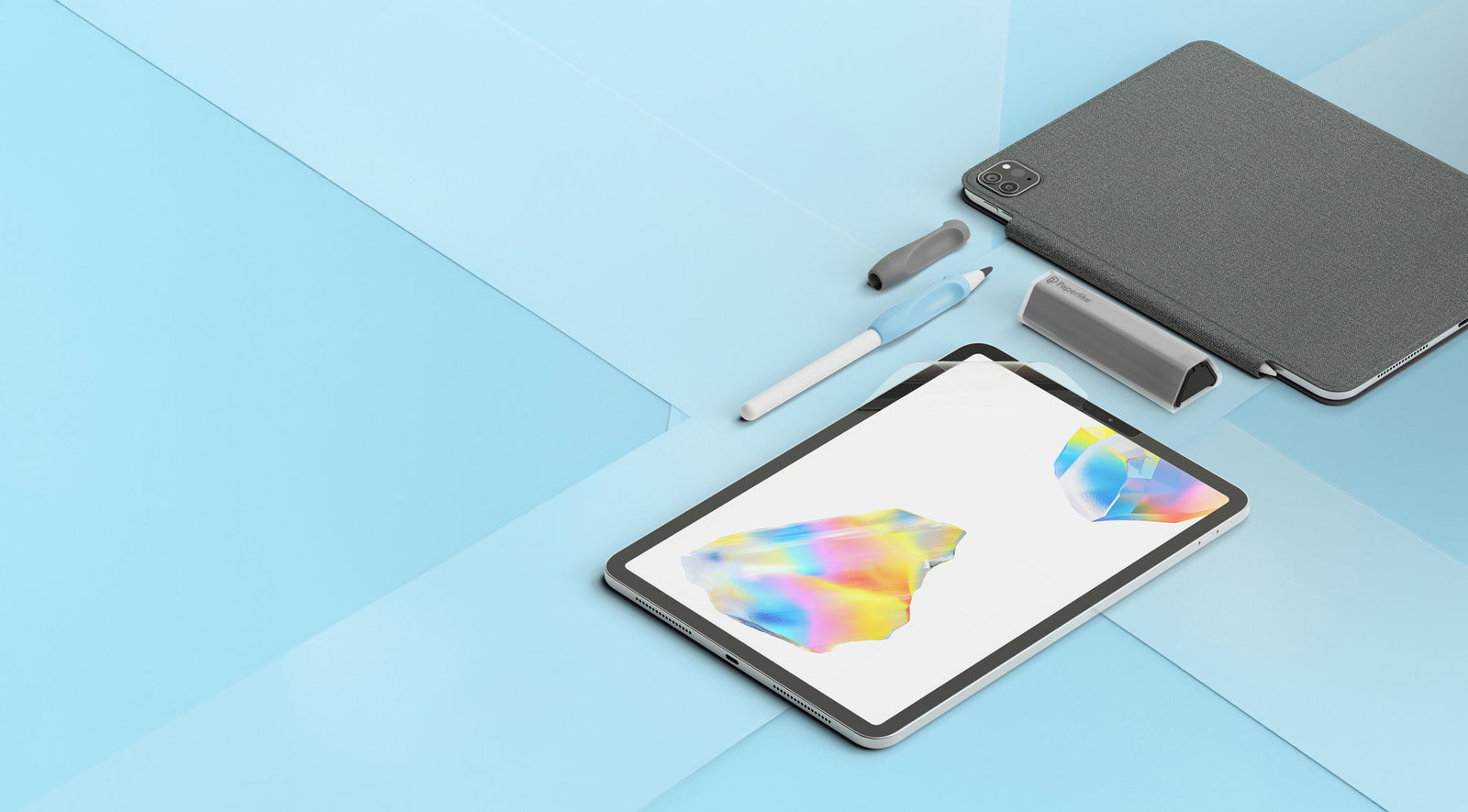
Every day, creators and doers discover Paperlike thanks to partners like you. Your success is our success, and we're here to ensure you have everything you need to make that happen. Don’t hesitate to reach out and let us know how we can better support you.

👉 Become an expert
Download our catalogues for detailed specs on our product line:

👉 What people are saying
Discover the Paperlike Community and some of our proudest moments in press. Please ensure Partner Agreement has been read and understood when referring to UGC.
Stefan Kuntz Illustration + animation for brands
Victor Abarca In-Depth Tech Videos
Happy Downloads Digital planning assets for Goodnotes
Jimbo Bernaus iPad Lettering & Procreate Brushes
Nomuricee Digital note-taking
The Inspiration Grid Paperlike 3 Launches with a True Paper Feel
Geeky Gadgets Paperlike 3 Same Natural Writing Feel
The Strategist The 11 Very Best iPad Cases
Zdnet The best iPad screen protectors you can buy
Creative Bloq Our favourite iPad accessories? After 14 years of testing, here's our top 6
Chris Piascik Paperlike 3: I Put 100+ Hours On It… Here’s the Truth
Apple Insider Best new iPad Pro and iPad Air accessories to keep your device safe and stylish
Wired The Best Drawing Tablets
New York Magazine The 13 Very Best iPad Cases
Stuff Best iPad accessories
Engadget The best iPad accessories for 2023
Inspiration Grid Paperlike’s iPad Folio Case replicates the look & feel of your favorite notebook
The Verge Yes, paper-feel screen protectors for the iPad are good
👉 Grab your assets
👉 Create your listings
Grab plug + play product descriptions each of our retail products
Short Product Description (41 words)
Paperlike™ 3 is the original paper-feel screen protector for iPad. Its refined Nanodots™ surface gives your Apple Pencil resistance for controlled handwriting and drawing, while its ultra-thin design preserves Pencil responsiveness. The Butterfly™ Application makes installation cleaner, easier, and more reliable.
Long Product Description (135 words)
Paperlike™ 3 is the original paper-feel screen protector for iPad, designed to make handwriting and drawing feel natural. Its refined Nanodots™ surface gives your Apple Pencil resistance for controlled strokes, whether you’re sketching, taking lecture notes, or annotating documents. At less than 0.095 mm thick, it stays within Apple’s screen protector thickness guideline to preserve Apple Pencil responsiveness.
Built for everyday writing and drawing, its improved surface resists visible marks and texture wear to help maintain a consistent feel over time. It also helps protect your iPad screen from everyday scratches and scuffs.
The Butterfly™ Application makes installation easier with a dust-control system, guided alignment, and an interactive step-by-step guide. Engineered in Germany and manufactured in Switzerland, Paperlike™ 3 brings years of development and user feedback to the surface you write on every day.
Short Feature Benefit List (116 words)
- Signature Paper-Feel – Nanodots™ technology gives your Apple Pencil resistance for controlled handwriting and drawing.
- Ultra-Responsive – Engineered under Apple’s thickness limit to keep Apple Pencil input instant and pixel-perfect.
- Gentle on Pencil Tips – Balances friction and smoothness to stay gentle on your Apple Pencil tip while giving you control.
- Easy Installation – The Butterfly™ Application combines dust control, precise alignment, and an interactive guide for an easier, more reliable installation.
- Screen Protection – PET base shields your iPad against scuffs and scratches from daily use.
- Trusted Original – Refined through years of user feedback, engineered in Germany, manufactured in Switzerland, and trusted by over a million creators worldwide.
Long Feature Benefit List (363 words)
True Paper-Feel
Writing and drawing on glass is slippery and hard to control. Paperlike™ 3 makes your iPad feel like paper with its refined Nanodots™ technology, developed through years of testing and user feedback. It gives your Apple Pencil the resistance you need for clearer handwriting and more precise sketches, whether you’re taking notes, annotating documents, or drawing.
Ultra-Responsive with Every Stroke
Your Apple Pencil deserves a screen that keeps up. Paperlike™ 3 is engineered under Apple’s maximum thickness limit, so latency stays low and strokes remain pixel-perfect. The result? Instant feedback and complete control, without the wobble or lag caused by thicker foils.
Protects Your Apple Pencil Tip
Paperlike™ 3 balances friction and smoothness to deliver the trusted paper-feel without excessive Apple Pencil tip wear. Compared with overly abrasive surfaces, this means less wear, fewer replacements, and a tip that stays precise for longer.
Easy & Dust-Free Application
Installing a screen protector shouldn’t be a gamble. The Butterfly™ Application (pat. pending) combines a dust-control system, the Helper™ Tool for precise alignment, and an interactive step-by-step guide. The dust-control system creates a Clean Room Effect that removes dust and keeps it out until the protector is applied, keeping away permanent bubbles caused by dust. The easiest, most reliable install we’ve ever offered.
Protects Your iPad Screen
Your iPad goes everywhere with you. Paperlike™ 3 helps protect its screen from scratches, scuffs, and daily wear. Built on a durable PET base with a proprietary Nanodots™ surface, it combines everyday screen protection with the controlled, satisfying paper-feel you rely on for writing and drawing.
The Trusted Original
Paperlike™ 3 is the third generation of the original paper-feel screen protector, engineered in Germany and manufactured in Switzerland. Its surface has been refined through years of testing and feedback from artists, students, and professionals. It’s backed by a 100% Satisfaction Guarantee and a support team customers praise for going the extra mile. It’s the original paper-feel screen protector for people who take their tools seriously.
A Durable Surface
Paperlike™ 3’s improved Nanodots™ help resist visible marks and texture wear from intensive Apple Pencil use, keeping your writing surface looking good and preserving its signature paper-feel over time.
Frequently Asked Questions (FAQs)
What is Paperlike 3?
Paperlike™ 3 is the original paper-feel screen protector for iPad. Its refined Nanodots™ surface gives your Apple Pencil resistance for controlled handwriting and drawing, while its ultra-thin design preserves Pencil responsiveness. It introduces the Butterfly™ Application, the easiest, most precise way to install a paper-feel screen protector.
What’s new with Paperlike™ 3?
Paperlike™ 3 introduces the Butterfly™ Application for easier, more reliable installation. Its refined Nanodots™ surface also features an improved treatment designed to resist visible marks and texture wear from intensive Apple Pencil use.
Is Paperlike™ 3 compatible with my iPad?
Yes, very likely. Choose the version that matches your iPad model and screen size. To find your model, go to Settings > General > About and check the model name against the compatibility information in this listing.
Does Paperlike™ 3 affect Apple Pencil responsiveness or accuracy?
No. Paperlike™ 3 is designed to preserve Apple Pencil responsiveness and precision. At less than 0.095 mm thick, it stays within Apple’s screen protector thickness guideline while adding resistance for controlled writing and drawing.
Can I apply Paperlike™ 3 over a glass screen protector?
In theory, you could, but we don’t recommend it; your Apple Pencil won’t thank you for the extra layer. Paperlike™ 3 is made super thin on purpose, keeping your Pencil tip close to the screen to preserve responsiveness and precision. Stacking it over another protector adds thickness that can affect precision. For the best writing experience, apply Paperlike™ 3 directly to your iPad screen; it also helps protect your display against everyday scuffs and scratches.
Does Paperlike™ 3 wear down the Apple Pencil tip?
All textured surfaces cause some wear; that’s physics. But Paperlike™ 3 is optimized to minimize it. It balances friction and smoothness to give you control without excessive Apple Pencil tip wear. How often you need to replace your tip depends on your writing pressure and usage. For even more durability, check out our Pencil Tips, built for 10× longevity and a tad more friction.
How long does Paperlike™ 3 last?
Paperlike™ 3 doesn’t have an expiry date or fixed lifespan. How long it lasts depends mainly on how often you use your Apple Pencil and how much pressure you apply. Consider replacing it when your main writing area becomes shiny or noticeably smoother, even after cleaning.
Will it protect my iPad screen?
Yes. Paperlike™ 3 helps protect your iPad screen from everyday scratches and scuffs. It isn’t designed to protect against drops or impacts. For added drop protection, pair Paperlike™ 3 with a protective case that cushions the edges and corners.
What is the Butterfly™ Application?
The Butterfly™ Application is Paperlike’s new, smarter way to install your screen protector.
It combines a dust-control system, the Helper™ Tool for precise alignment, and an interactive step-by-step guide. The dust-control system creates a Clean Room Effect that removes dust and keeps it out until the protector is applied, helping prevent permanent bubbles caused by trapped dust. Together, these tools tackle the three biggest headaches: bubbles, misalignment, and bad instructions, so your install is smooth and stress-free.
Is the Butterfly™ Application really easier?
Yes. The Butterfly™ Application takes the stress out of installation. It guides you through installation step by step. The Helper assists with alignment, while the dust-control system helps prevent dust from getting trapped underneath. It’s the easiest, most reliable install we’ve ever offered.
What comes in the box?
- 2× Paperlike™ 3 Screen Protectors with the new Butterfly Application™.
- 2× Wet Wipes to prepare your iPad before installation.
- 1× Helper™ tool for perfect alignment, cleaning, and guidance.
- Access to the Interactive Install Guide.
- Free access to exclusive digital products.
Short Product Description
Paperlike™ Pencil Tips add more tactile resistance when used with a Paperlike™ Screen Protector, nano-texture iPad, or other matte screen protector. Made from a sturdy, precision-manufactured material, they preserve Apple Pencil performance while lasting up to 10× longer than original Apple Pencil tips.
Long Product Description
Want a little more texture from your iPad writing surface? Paperlike™ Pencil Tips add extra resistance at the point where your Apple Pencil meets a Paperlike™ Screen Protector, nano-texture iPad, or other matte screen protector. The result is a rougher, more tactile writing and drawing experience with greater control over every stroke.
Their sturdy material is manufactured to preserve the responsiveness and accuracy you expect from your Apple Pencil. It’s also built to last up to 10× longer than original Apple Pencil tips, helping you write and draw for longer with fewer changes.
Paperlike Pencil Tips fit every Apple Pencil generation and come in a reusable four-tip pack that keeps your spares protected at home or on the go. A charcoal finish with a Paperlike Blue base gives your Apple Pencil a subtle, considered upgrade.
Short Feature Benefit List
- Up to 10× Longer-Lasting – Built to last significantly longer than original Apple Pencil tips, meaning fewer changes and lower costs over time.
- More Tactile Paper-Feel – Adds extra resistance and texture when used with a Paperlike™ Screen Protector, nano-texture iPad, or other matte screen protector.
- Preserves Pencil Precision – Precision-manufactured to maintain the responsiveness and accuracy expected from an Apple Pencil.
- Fits Every Apple Pencil – Compatible with all Apple Pencil generations and other styluses that use the same tip design, including Logitech Crayon.
- Four Pencil Tips Included – The reusable packaging keeps your spare Pencil Tips protected and easy to carry.
Long Feature Benefit List
Up to 10× Longer-Lasting
Paperlike™ Pencil Tips are made from a sturdy material developed for long-lasting use on both bare and textured screens. They last up to 10× longer than original Apple Pencil tips, helping you spend more time writing and drawing—and less time changing worn Pencil Tips.
More Tactile Resistance
Paperlike™ Pencil Tips are made for people who want a rougher, more tactile writing and drawing experience. Their sturdy material increases friction where the tip meets a Paperlike™ Screen Protector, nano-texture iPad, or other matte screen protector, moving the feel closer to pencil on paper.
More Control with Every Stroke
A little extra resistance can make each stroke feel more deliberate. Paperlike™ Pencil Tips give you greater tactile feedback while writing, sketching, or annotating, helping you guide your Apple Pencil with more control across a textured surface.
Precision You Can Rely On
Added texture shouldn’t come at the expense of Apple Pencil performance. Paperlike™ Pencil Tips are manufactured to the precise tolerances required for responsive, accurate input, so you can enjoy more tactile resistance while maintaining the performance you expect from your Pencil.
Compatible with Every Apple Pencil
One Pencil Tip fits the entire Apple Pencil family. Paperlike™ Pencil Tips work with every Apple Pencil generation and with other styli that use the same tip design, including Logitech Crayon. Simply screw one on and start creating.
A More Considered Finish
The charcoal finish and Paperlike Blue base give your Apple Pencil a subtle visual upgrade. It’s a small detail that makes your Pencil feel less like a default accessory and more like a tool chosen for the way you work.
Four Pencil Tips, Ready When You Need Them
Each pack includes four Paperlike™ Pencil Tips in a reusable insert designed for storage and travel. Keep your unused Pencil Tips protected and together, whether they’re on your desk or travelling in your bag.
Frequently Asked Questions (FAQs)
What are Paperlike™ Pencil Tips?
They’re durable Pencil Tips designed to add more tactile resistance when used with a textured iPad surface. They last up to 10× longer than original Apple Pencil tips while preserving Apple Pencil precision and responsiveness.
Which Apple Pencil models are compatible?
Paperlike™ Pencil Tips work with every Apple Pencil generation. They also fit other styluses that use the same tip design, including the Logitech Crayon.
How do I install a Paperlike™ Pencil Tip?
Unscrew your current Apple Pencil tip, then screw on a Paperlike™ Pencil Tip until it feels snug. A gentle twist is enough; don’t overtighten it.
Do Paperlike™ Pencil Tips add more paper-feel?
Yes, when paired with a textured surface. On a Paperlike™ Screen Protector, nano-texture iPad, or other matte screen protector, the Pencil Tips add extra resistance for a rougher, more tactile writing and drawing experience.
Can I use them without a screen protector?
Yes. Paperlike™ Pencil Tips work on bare iPad glass and retain their durability and precision benefits. The extra tactile resistance only comes into play when they’re used on a textured surface.
Do they replace the need for a Paperlike™ Screen Protector?
No. The Pencil Tips and Screen Protector perform different roles. The Screen Protector creates the textured writing surface, while the Pencil Tips add an extra tactile boost where the tip meets that surface.
Are they compatible with Apple’s nano-texture display?
Yes. Paperlike™ Pencil Tips can be used directly on an iPad with a nano-texture display, where they add more tactile resistance without requiring an additional screen protector.
Will Paperlike™ Pencil Tips affect Apple Pencil responsiveness or precision?
No. They’re precision-manufactured to maintain the responsiveness and accuracy expected from an Apple Pencil while adding more tactile resistance on textured surfaces.
How do I know when to change a Pencil Tip?
Change it when the Pencil Tip looks visibly worn, writing no longer feels smooth, or your Apple Pencil begins slipping more than usual. How quickly this happens depends on how often you write or draw and how much pressure you use.
How long does a Paperlike™ Pencil Tip last?
Lifespan varies with use and writing pressure, but Paperlike™ Pencil Tips are engineered to last up to 10× longer than original Apple Pencil tips. That means fewer changes and more consistent performance over time.
What comes in the box?
Four Paperlike™ Pencil Tips in a reusable insert that keeps your spare Pencil Tips protected and together.
Short Product Description
Paperlike™ Pencil Grips help you write and draw comfortably for longer. Their sculpted shape and soft silicone support a natural hold to help reduce hand fatigue and cramping during longer writing and drawing sessions. The design lets you use your Apple Pencil’s gestures and features, including magnetic charging, without removing the grip.
Long Product Description
Long note-taking sessions and detailed drawings put your Apple Pencil (and your hand) to work. Paperlike™ Pencil Grips combine an ergonomic shape with soft silicone to support a natural hold and help distribute pressure across your fingers, reducing hand fatigue and making longer sessions more comfortable.
Thin silicone zones let you keep using all your Apple Pencil features, including double-tap, squeeze, and magnetic charging. The case-friendly shape also allows your Pencil to attach and charge when used with Apple and Paperlike cases, as well as other cases that leave the charging area open.
Made from 100% silicone, the grips feel soft, grippy, and satisfyingly squishy. Each pack includes two grips: one in Charcoal and one in Paperlike Blue.
Short Feature Benefit List
- Comfort for Longer Sessions – Sculpted finger rests support a natural hold, help distribute pressure, and give you steadier control while you write and draw. Inspired by the pens that taught a generation how to write.
- Soft, Grippy Feel – Soft silicone cushions your fingers and gives you a comfortable surface to hold.
- Keep Every Pencil Feature – Ultra-thin silicone zones preserve Double Tap, Squeeze, Barrel Roll, Haptic Feedback, and charging without removing the grip.
- Works with Compatible Cases – The angled shape allows attachment and charging with Paperlike and Apple cases, as well as other cases that leave the charging area open.
- Compatible with Every Apple Pencil – Designed to fit Apple Pencil 1st generation, 2nd generation, USB-C, and Pro.
- Two Grips Included – Both grips feature the same ergonomic design for comfort and control.
Long Feature Benefit List
Comfort and Control for Longer Sessions
From lecture notes to the final details of a drawing, comfort matters when you use your Apple Pencil for longer stretches. Paperlike™ Pencil Grips have sculpted finger rests that support a natural hold and help distribute pressure across your fingers, reducing hand fatigue and giving you steadier control. Their ergonomic shape is inspired by the pens that taught a generation how to write.
Soft, Satisfying Silicone
Made from 100% soft-touch silicone, Paperlike™ Pencil Grips give your fingers a comfortable, secure hold without feeling sticky. Slightly squishy and satisfying to the touch, they make your Apple Pencil feel better in your hand.
Compatible with Every Apple Pencil
One grip design fits the full Apple Pencil family: 1st generation, 2nd generation, USB-C, and Pro. Whichever Apple Pencil you use, the sculpted shape provides the same comfortable, secure fit.
Keep Every Pencil Feature
Comfort shouldn’t get in the way of what your Apple Pencil can do. Ultra-thin silicone zones preserve Double Tap, Squeeze, Barrel Roll, Haptic Feedback, and charging with the grip on. There’s no need to remove it when you recharge.
Works with Compatible Cases
A grip shouldn’t get between your Pencil and its charging spot. The angled shape curves away from the case, leaving the magnetic charging area accessible. It works with Paperlike and Apple cases, as well as other cases that leave the charging area open. Cases that cover this area or have a tightly fitted Pencil holder are not compatible.
Two Colours, One Ergonomic Design
Each pack includes two identical grips: one in Charcoal and one in Paperlike Blue. Their clean, sculpted design looks at home alongside your iPad setup.
Frequently Asked Questions (FAQs)
What are Paperlike™ Pencil Grips?
They’re ergonomic silicone grips designed to give you more comfort and control while using your Apple Pencil. Their sculpted shape supports a natural hold, while soft silicone cushions your fingers during longer writing and drawing sessions.
Which Apple Pencil models are compatible?
Paperlike™ Pencil Grips work with every Apple Pencil model: 1st generation, 2nd generation, USB-C, and Pro.
Can I charge my Apple Pencil with the grip on?
Yes. Paperlike™ Pencil Grips support every charging method, including magnetic, cable, and direct charging, without removing the grip.
Will my Apple Pencil’s gestures and features still work?
Yes. Ultra-thin silicone zones preserve every Apple Pencil feature, including Double Tap, Squeeze, Barrel Roll, Haptic Feedback, and magnetic attachment.
Will the grips work with my iPad case?
They work with Paperlike and Apple cases, as well as other cases that leave the charging area open. Cases that cover this area or have a tightly fitted built-in Pencil holder may not be compatible.
How do I put the grip on my Apple Pencil?
Slide the grip over the tip end of your Apple Pencil, with the raised finger rest facing toward the tip. Push the grip from the end until it sits in a comfortable writing position. You can also follow the installation video and guide.
What are the grips made from?
They’re made from 100% silicone, with a soft, slightly squishy feel that adds cushioning and grip.
Are the two grips different?
No. Both have the same ergonomic shape, combining comfort and control in one design.
Do I need a Paperlike screen protector to use them?
No. You can use the grips on their own. They make your Apple Pencil more comfortable to hold, while a Paperlike screen protector adds paper-feel resistance beneath the tip.
What comes in the box?
Two Paperlike™ Pencil Grips: one in Charcoal and one in Paperlike Blue.
Short Product Description
Paperlike™ Cleaning Kit keeps your screens clear without the usual bottle-and-cloth clutter. Its alcohol-free solution removes dust, grime, fingerprints, and oils, while the microfiber-wrapped bottle lets you spray and wipe with one compact tool. Five refill pellets provide up to 500 cleaning sessions.
Long Product Description
Cleaning the screen shouldn’t require a collection of bottles, cloths, and disposable wipes. Paperlike™ Cleaning Kit combines an alcohol-free cleaning solution and a microfiber-wrapped spray bottle in one compact tool. Apply the solution, wipe with the microfiber exterior, and enjoy a clear, residue-free screen.
The slim spray bottle fits inside a protective hardshell case, keeping the nozzle covered and the microfiber clean while it’s in your bag. It arrives prefilled and ready to use at home, in the office, or wherever your iPad goes.
When the liquid runs out, fill the removable bottle with tap water and add one of the five included refill pellets. Together, they provide up to 500 cleaning sessions. The oil-dissolving solution is safe for electronic screens and also removes the buildup that can make your Paperlike™ surface feel smoother, helping restore its intended paper-feel.
Short Feature Benefit List
- Spray and Wipe with One Tool – A microfiber-wrapped spray bottle combines the cleaner and cloth in one compact design.
- Removes Oils and Fingerprints – The alcohol-free solution lifts dust, grime, fingerprints, and hand oils without leaving lasting residue.
- Refillable for Up to 500 Cleans – Five included pellets turn tap water into more cleaning solution when the bottle runs out.
- Made to Travel – The slim design fits easily into your bag, while the protective hardshell case covers the sprayer and keeps the microfiber clean.
- Restores The Paper-feel – Removing built-up oils helps bring back the intended texture and resistance of your Paperlike™ surface.
- Safe for Electronic Screens – The alcohol-free formula is designed for regular use across your everyday electronic devices.
Long Feature Benefit List
One Tool to Spray and Wipe
No loose cloth. No bulky household spray bottle. Paperlike™ Cleaning Kit combines an oil-dissolving solution with a microfiber-wrapped spray bottle, so everything you need stays together in one compact tool. Apply the solution, wipe the screen, and get back to writing, drawing, or watching.
Clear Screens without Lasting Residue
Touchscreens collect fingerprints, hand oils, dust, and grime every day. The fast-drying, alcohol-free solution removes that buildup without leaving lasting residue, giving you a screen that looks clear and feels pleasant to use.
Refillable for Up to 500 Cleaning Sessions
Running out of liquid doesn’t mean replacing the entire kit. Fill the removable bottle with tap water, add one of the five included refill pellets, and wait 10 minutes for it to dissolve. Together, the pellets provide up to 500 cleaning sessions over the life of the product.
Made to Go Wherever Your iPad Goes
Proper screen care shouldn’t be limited to your house. The slim Cleaning Kit fits naturally into a backpack or work bag, while its hardshell case protects the spray nozzle and keeps the microfiber exterior clean between uses. It arrives prefilled, so it’s ready from the moment you open it.
Restores the Intended Paper-feel
Daily use leaves a layer of hand oils on your screen. On a Paperlike™ surface, that buildup can reduce the friction you feel while writing and drawing, even though the texture underneath is still there. The Cleaning Kit removes those oils, helping restore the intended paper-feel and tactile resistance.
Made for Regular Screen Care
Paperlike™ Cleaning Kit uses an alcohol-free formula designed for frequent use on electronic screens. It gives you a quick, convenient way to care for the devices you touch every day without reaching for harsh household cleaners or disposable wipes.
Frequently Asked Questions (FAQs)
What is the Paperlike™ Cleaning Kit?
It’s a compact, refillable screen-cleaning system that combines an alcohol-free cleaning solution with a microfiber-wrapped spray bottle. The same tool lets you apply the solution and wipe away dust, grime, fingerprints, and hand oils.
How do I use it?
Remove the spray bottle from its hardshell case and apply one or two sprays, depending on the size of your device. Wipe the screen with the microfiber exterior until it is clean and dry. The kit arrives prefilled, so you can use it immediately.
Can I use it on screens without a Paperlike™ Screen Protector?
Yes. The alcohol-free solution is safe for electronic screens, whether or not they have a Paperlike™ Screen Protector.
Why should I clean my Paperlike™ Screen Protector?
Hand oils can build up on the surface and make it feel smoother or more slippery. Cleaning removes that layer of oil, helping restore the intended texture and resistance of your Paperlike™.
Is the Cleaning Kit refillable?
Yes. Once the bottle is empty, fill it with tap water, add one refill pellet, and wait 10 minutes before closing and reassembling the kit.
How many times can I refill it?
Each kit includes five refill pellets, providing up to 500 cleaning sessions in total.
Can I buy additional refill pellets?
Refill pellets aren’t currently sold separately, so keep the five included pellets somewhere safe.
How do I clean the microfiber exterior?
Rinse the microfiber with tap water and let it air-dry completely before placing it back inside the hardshell case.
Is the cleaning solution alcohol-free?
Yes. The solution is alcohol-free and designed for regular use on electronic screens.
Is it suitable for travel?
Yes. Its slim design fits easily into a bag, and the hardshell case protects the sprayer while keeping the microfiber exterior clean.
What comes in the box?
- 1× prefilled spray bottle with microfiber exterior
- 1× hardshell case
- 5× refill pellets
- 1× art sticker
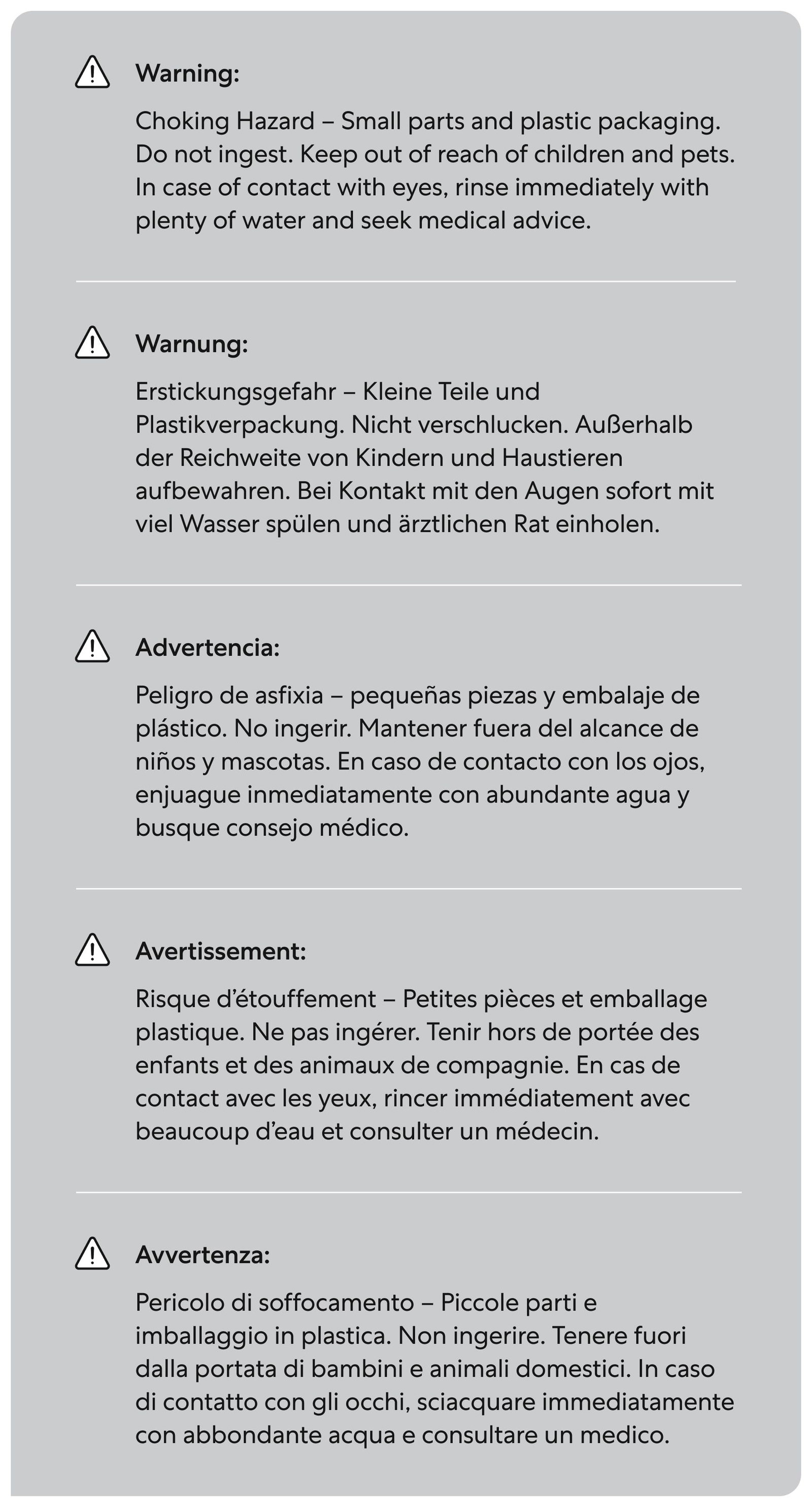
Safety Info (EU)
Short Product Description
Paperlike™ Drawing Glove helps your hand glide smoothly across the screen while reducing oil transfer, light smudges, and accidental palm inputs. Its breathable design stays comfortable during longer sessions, while open fingertips leave you free to touch, zoom, and navigate naturally.
Long Product Description
Keep your hand moving smoothly from the first stroke to the finishing details. Paperlike™ Drawing Glove creates a consistent point of contact between your hand and screen, helping reduce the uneven drag bare skin can create while drawing, writing, or annotating.
Its microfiber underside reduces oil transfer and gently wipes away light smudges as your hand moves across the display. Above it, a lightweight, breathable fabric helps heat and moisture escape, keeping your hand cooler and more comfortable during longer sessions.
Open fingertips preserve natural touch and gestures, while the covered side of your hand helps reduce accidental palm inputs. Available in three unisex sizes, the glove fits either hand, works with modern tablets, and can be machine washed and dried after use.
Short Feature Benefit List
- Smoother, More Consistent Glide – Reduces drag between your hand and screen for more predictable movement while drawing, writing, or annotating.
- Breathable for Longer Sessions – Lightweight, airy fabric helps keep your hand cooler and more comfortable.
- Fingertips Free for Gestures – The open-fingertip design preserves natural touch, zooming, and navigation.
- Cleans While You Create – A microfiber underside reduces oil transfer and helps wipe away light smudges as your hand moves.
- Fewer Accidental Inputs – Adds a layer between your palm and the screen to support the iPad’s native palm rejection.
- Fits Either Hand – A unisex design is available in Small, Medium, and Large and can be worn by left- or right-handed users.
- Machine Washable – Built for regular use and tested for machine washing and drying.
Long Feature Benefit List
Smoother Glide, Stroke after Stroke
Bare skin can stick or drag as it moves across a screen, particularly during longer sessions or in warmer conditions. Paperlike™ Drawing Glove creates a consistent point of contact between your hand and the display, helping it glide more freely and predictably while you draw, write, or annotate.
Breathable by Design
A drawing glove shouldn’t become hot and sticky halfway through a session. The lightweight upper fabric allows heat and moisture to escape more easily, helping your hand stay cooler and more comfortable through longer periods of writing and drawing.
Fingertips Free for Gestures and Control
Covering your fingertips can make normal iPad use feel unnecessarily restrictive. Paperlike™ Drawing Glove leaves them exposed, so you can touch, zoom, navigate, and use multi-finger gestures naturally without taking the glove off.
A Cleaner Screen While You Work
Your hand naturally transfers oils and moisture to the screen as you create. The glove covers the main point of contact to reduce that transfer, while its microfiber underside acts like a dry wipe, gently removing light smudges as your hand moves across the display.
Helps Reduce Accidental Palm Inputs
The iPad already includes palm-rejection technology, but false inputs can still interrupt your work. The glove adds a physical layer between the side of your hand and the display, helping reduce accidental touches while leaving your fingertips free for intentional input.
Fits Either Hand and Every Workflow
The unisex design can be worn on your left or right hand and comes in three sizes for a snug, comfortable fit. It works with modern tablets and computer displays, so you can use it with the stylus and creative setup you already have.
Designed for the Paperlike™ Experience
The Drawing Glove works independently, but it was developed with the Paperlike™ Screen Protector experience in mind. By reducing oil buildup and supporting a consistent hand glide, it helps keep the surface cleaner and its paper-feel more consistent during longer creative sessions.
Made for Real Use
The glove is designed to be worn, washed, and used again. It can go into a standard machine wash at 60°C/140°F and can be machine dried, making it easy to care for between creative sessions.
Frequently Asked Questions (FAQs)
What is the Paperlike™ Drawing Glove?
It’s a breathable, open-fingertip glove designed to help your hand glide smoothly across a tablet screen. It also reduces oil transfer, wipes away light smudges, and helps prevent accidental palm inputs while you work.
Why would I need a drawing glove?
Bare skin can drag against the screen, leave oils and smudges behind, or trigger unwanted inputs. The Drawing Glove creates a smoother point of contact between your hand and the display, helping you work with fewer interruptions.
Does it provide palm rejection?
The iPad already has native palm rejection. The Drawing Glove adds a physical layer between your hand and the screen, helping reduce false inputs when you rest your palm while writing or drawing.
Can I still use touch gestures?
Yes. The fingertips remain uncovered, so you can touch, zoom, navigate, and use multi-finger gestures naturally.
Does it work for both left- and right-handed users?
Yes. The same Drawing Glove can be worn on either hand and supports different writing and drawing styles.
Which size do I need?
Measure the width of your hand across the area between your thumb and fingers, then use this guide:
Size | Hand width |
Small | 6–7.5 cm / 2.25–3 in |
Medium | 7.5–8.5 cm / 3–3.5 in |
Large | 8.5–9.5 cm / 3.5–3.75 in |
The glove has a snug fit around the fingers, so consider your overall hand shape as well as the measurement.
Which devices and styluses are compatible?
Paperlike™ Drawing Glove works with modern tablets and computer displays that use capacitive touchscreens. You can use it with the stylus of your choice.
Do I need a Paperlike™ Screen Protector to use it?
No. The Drawing Glove works on its own with compatible screens. When paired with a Paperlike™ Screen Protector, it also helps reduce oil buildup and maintain a cleaner, more consistent paper-feel.
How does it clean the screen?
The underside uses polyester microfiber that acts like a dry wipe. As your hand moves across the display, it helps remove light smudges and reduces the amount of skin oil transferred to the screen.
What is it made from?
The glove is made from 90% polyester and 10% polyurethane. Its microfiber underside supports screen care, while the lightweight upper and inner fabric provide a breathable, comfortable fit.
Does it contain latex?
No. Paperlike™ Drawing Glove doesn’t contain latex.
Does it provide wrist support?
No. The Drawing Glove doesn’t provide structural wrist support or prevent repetitive strain injuries. It may be used alongside a separate wrist-support product if needed.
How do I wash it?
Machine wash at 60°C/140°F and machine dry. Keep it away from Velcro and other hook-and-loop fasteners, which may catch and damage the fabric.
What comes in the box?
One black Paperlike™ Drawing Glove in your selected size.
✏️ Paperlike Product Details
Paperlike Model | EAN | UPC | MOQ | SKU | Unit Dimensions | Unit Weight | Units per Master Carton | Master Carton Dimensions and Weight | MC Dim with inner Cartons | Inner Cartons per Master | Inner carton Dimensions and Weight | Inner carton SKU | HTS Code | Status |
|---|---|---|---|---|---|---|---|---|---|---|---|---|---|---|
Pencil Grips V2 | 4260470090406 | 850046735110 | 100 | PL-PG-CB-23 | 16.8cm x 8.7cm x 1.7cm | 27g | 100 | 35x35x22cm // 4kg | 35.5 x 35.5 x 22cm // 4.00kg | 3910000090 | Active | |||
Cleaning Kit v2 | 4260470090178 | 850046735127 | 100 | PL-CK-MC-23 | 71g | 100 | 47x36x28cm // 7kg | 45cm x 28cm x 38cm // 9kg | 10 | 34025000 | Active | |||
Paperlike Pencil Tips (4-pack) | 4260470090994 | 850046735196 | 100 | PL-APT-CB-25 | 7cm x 5cm x 1cm | 4g | 100 | 31x19x19.5cm // 1KG | 3910000090 | Active | ||||
Paperlike 3 (NEW) | 39269097900 | Active | ||||||||||||
Paperlike 3 for iPad Pro 12.9" | 4260470091120 | 100 | PL3-12-18 | 33cmx24cmx0.4cm | 150g | 100 | 37x45x53cm // 19kg | 53cm x 37cm x 45cm // 18.5kg | 39269097900 | Active | ||||
Paperlike 3 for iPad Pro 11" & iPad Air 10.9" | 4260470099348 | 100 | PL3-11-18 | 33cmx24cmx0.4cm | 140g | 100 | 37x45x53cm // 18kg | 53cm x 37cm x 45cm // 17.5 kg | 39269097900 | Active | ||||
Paperlike 3 for iPad 10.2" (2019, 2020 & 2021) | 4260470091144 | 100 | PL3-10-19 | 33cmx24cmx0.4cm | 150g | 100 | 37x45x53cm // 19kg | 53cm x 37cm x 45cm // 18.5kg | 39269097900 | Active | ||||
Paperlike 3 for iPad Mini (2021) | 4260470090772 | 100 | PL3-08-21 | 33cmx24cmx0.4cm | 130g | 100 | 37x45x53cm // 18kg | 53cm x 37cm x 45cm // 17.5 kg | 39269097900 | Active | ||||
Paperlike 3 for iPad 11” (2025) & iPad 10.9” (2022-2024) | 4260470090765 | 850046735240 | 100 | PL3-10-22 | 30cmx22cmx0.4cm | 150g | 100 | 37x45x53cm // 18kg | 53cm x 37cm x 45cm // 18.5kg | 39269097900 | Active | |||
Paperlike 3 for iPad Pro 13” (2024) & iPad Air 13” (2024-2025) | 4260470090727 | 850046735233 | 100 | PL3-13-24 | 33cmx24cmx0.4cm | 150g | 100 | 37x45x53cm // 18kg | 53cm x 37cm x 45cm // 18.5kg | 39269097900 | Active | |||
Paperlike 3 for iPad Pro 11” (2024) | 4260470090741 | 850046735219 | 100 | PL3-11-24 | 30cmx22cmx0.4cm | 150g | 100 | 37x45x53cm // 18kg | 53cm x 37cm x 45cm // 18.5kg | 39269097900 | Active | |||
Paperlike 3 for iPad Air 11” (2024 & 2025) | 4260470090758 | 850046735202 | 100 | PL3-10-24 | 30cmx22cmx0.4cm | 150g | 100 | 37x45x53cm // 18kg | 53cm x 37cm x 45cm // 18.5kg | 39269097900 | Active | |||
| DELETED | 33cmx24cmx0.4cm | 150g | 100 | 37x45x53cm // 18kg | 53cm x 37cm x 45cm // 18.5kg | 39269097900 | Active |
🤖 iPad Compatibility
Find the correct Paperlike™ 3 variant for each iPad model, including SKU, EAN, and Apple model numbers.
Product | Product line | SKU | EAN | Apple model numbers | Fits iPad models |
|---|---|---|---|---|---|
Paperlike 3 - iPad mini 8.3” | Paperlike 3 | PL3-08-21 | 4260470090772 | A2993, A2995, A2996 A2567, A2568, A2569 | iPad mini (A17 Pro) iPad mini (6th gen) |
Paperlike 3 Single Sheet - iPad 10.9”/11” | Paperlike 3 Single Sheet | PL3SS-10-22 | 4260470091366 | A3354, A3355, A3356 A2696, A2757, A2777, A3162 | iPad (A16) iPad (10th gen) |
Paperlike 3 Single Sheet - iPad Air 11” | Paperlike 3 Single Sheet | PL3SS-10-24 | 4260470091359 | A3459, A3460, A3463 A3266, A3267, A3270 A2902, A2903, A2904 | iPad Air 11″ (M4) iPad Air 11″ (M3) iPad Air 11″ (M2) |
Paperlike 3 Single Sheet - iPad Pro & Air 13” | Paperlike 3 Single Sheet | PL3SS-13-24 | 4260470091335 | A3461, A3462, A3464 A3268, A3269, A3271 A3360, A3361, A3362 A2898, A2899, A2900 A2925, A2926, A3007 | iPad Air 13″ (M4) iPad Air 13″ (M3) iPad Pro 13″ (M5) iPad Air 13″ (M2) iPad Pro 13″ (M4) |
Paperlike 3 - iPad Pro 11” (landscape) | Paperlike 3 | PL3-11-24 | 4260470090741 | A3357, A3358, A3359 A2836, A2837, A3006 | iPad Pro 11″ (M5) iPad Pro 11″ (M4) |
Paperlike 3 - iPad 10.9”/11” | Paperlike 3 | PL3-10-22 | 4260470090765 | A3354, A3355, A3356 A2696, A2757, A2777, A3162 | iPad (A16) iPad (10th gen) |
Paperlike 3 - iPad Pro & Air 13” | Paperlike 3 | PL3-13-24 | 4260470090727 | A3461, A3462, A3464 A3268, A3269, A3271 A3360, A3361, A3362 A2898, A2899, A2900 A2925, A2926, A3007 | iPad Air 13″ (M4) iPad Air 13″ (M3) iPad Pro 13″ (M5) iPad Air 13″ (M2) iPad Pro 13″ (M4) |
Paperlike 3 Single Sheet - iPad Pro 11” (landscape) | Paperlike 3 Single Sheet | PL3SS-11-24 | 4260470091342 | A3357, A3358, A3359 A2836, A2837, A3006 | iPad Pro 11″ (M5) iPad Pro 11″ (M4) |
Paperlike 3 - iPad Air 11” | Paperlike 3 | PL3-10-24 | 4260470090758 | A3459, A3460, A3463 A3266, A3267, A3270 A2902, A2903, A2904 | iPad Air 11″ (M4) iPad Air 11″ (M3) iPad Air 11″ (M2) |
Paperlike 3 - iPad Pro 12.9” | Paperlike 3 | PL3-12-18 | 4260470091120 | A2436, A2437, A2764, A2766 A2378, A2379, A2461, A2462 A2069, A2229, A2232, A2233 A1876, A1895, A1983, A2014 | iPad Pro 12.9″ (6th gen) iPad Pro 12.9″ (5th gen) iPad Pro 12.9″ (4th gen) iPad Pro 12.9″ (3rd gen) |
Paperlike 3 - iPad 10.2” | Paperlike 3 | PL3-10-19 | 4260470091144 | A2602, A2603, A2604, A2605 A2270, A2428, A2429, A2430 A2197, A2198, A2200 | iPad (9th gen) iPad (8th gen) iPad (7th gen) |
Paperlike 3 - iPad Pro 11” & iPad Air 10.9 (portrait) | Paperlike 3 | PL3-11-18 | 4260470099348 | A2588, A2589, A2591 A2435, A2759, A2761, A2762 A2301, A2377, A2459, A2460 A2072, A2316, A2324, A2325 A2068, A2228, A2230, A2231 A1934, A1979, A1980, A2013 | iPad Air (5th gen) iPad Pro 11″ (4th gen) iPad Pro 11″ (3rd gen) iPad Air (4th gen) iPad Pro 11″ (2nd gen) iPad Pro 11″ (1st gen) |
💡Paperlike FAQs
Paperlike is the iPad accessory brand for creators and doers worldwide. We make technology more tactile and engaging by bringing an analog feel to your digital experience. Paperlike’s hero product is the original matte screen protector, designed to make writing or drawing on your iPad feel like real paper. We’ve also expanded our range with premium products—from cases to drawing gloves to pencil tips and grips—all crafted to transform your iPad experience, boost your comfort, and enhance productivity (all while looking stylish). Fall in love with writing and drawing on your iPad all over again.
- True paper-feel for precise writing and drawing on your iPad
- Maintains Apple Pencil™ responsiveness for every stroke
- Advanced Nanodots™ surface technology delivers consistent, satisfying resistance
- Protects your Apple Pencil™ tip while giving full control
- Shields your iPad screen from scratches, scuffs, and daily wear
- Ultra-thin and precision-engineered to preserve accuracy and feel
- Swiss-based manufacturing ensures consistent, high-quality production
- Easy, clean, dust-free installation with the Butterfly™ Application System
- Step-by-step interactive guide included for flawless alignment
- Built for creators with durable materials and a trusted design
Think of Nanodots™ as the “secret sauce” that makes The Paperlike™ Screen Protector unique. These tiny microbeads are carefully arranged across the surface. Their thickness and placement play a key role in reducing light refraction, so the image you see remains crisp and clear.
Nanodots™ are also what give Paperlike its authentic paper-feel! When you drag your Apple Pencil across the screen, the Nanodots™ make the stylus vibrate, creating just the right amount of friction and resistance for a more natural writing and drawing experience.
For Paperlike 3™, the Nanodots layer is evenly distributed across the surface, further reducing light refraction.
“Paperlike™” is a trademarked term in the majority of countries where we actively sell. It is not a descriptive term to define a feature or category of screen protector. If you come across the term being used incorrectly or by another screen protector product, please report it to Paperlike.
While all Paperlike™ products are designed with the iPad and Apple Pencil in mind, some also work with other devices. For example, Paperlike Pencil Tips are compatible with other styluses like the Logitech Crayon, the Cleaning Kit can be used to clean any electronic screen, and the Drawing Glove works with any touchscreen device. The rest of our products are designed specifically for iPad and Apple Pencil.
👋 Get in touch

Mauricio Sasso Head of Business Development Reach out by email Contact: wholesale@paperlike.com
💌 Paperlike GmbH
Ballindamm 3 20095 Hamburg Germany Contact Us